Sorting a Multilist with Search Field in SitecoreAI


Index
TLDR;
I started going down the rabbit hole of this field type because I noticed three issues with a field I was setting up:
- The full list of 149 options was not visible in Pages Editor -- only 100 of them actually displayed when scrolling down to the bottom of the list
- Three of my list options contained the word "Sitecore" in their item name, but searching for "Sitecore" returned no results, neither in Content Editor nor in Pages Editor
- At the same time, the options were not in the same order as they appeared in the Sitecore tree (alphabetical).
The fix for all of them is to ensure the field source query is correct, which includes includes a properly configured sort parameter.
The Initial Setup
The Multilist with Search field is called "Topics". The field source query I started with was simple -- display all the child items of the "Topics" folder.
StartSearchLocation=query:$site/Data/Topics/*
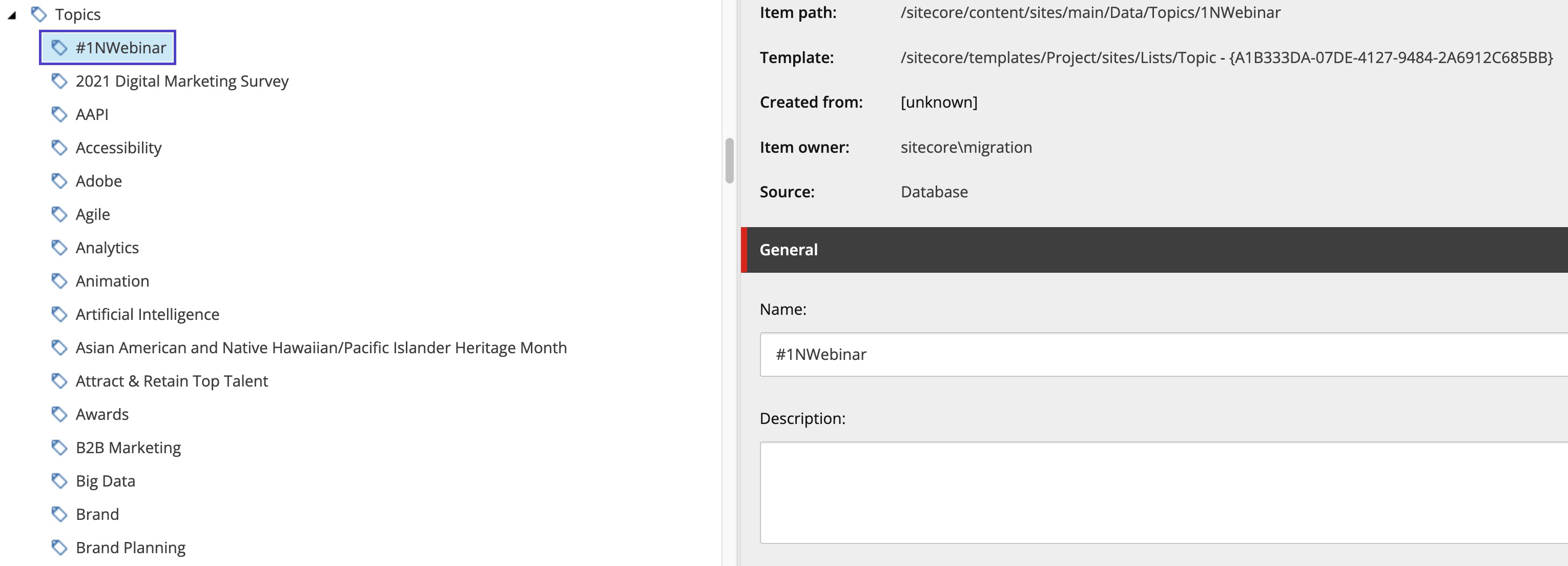
Intuitively, the list of options would mirror the alphabetical order of items in the content tree:
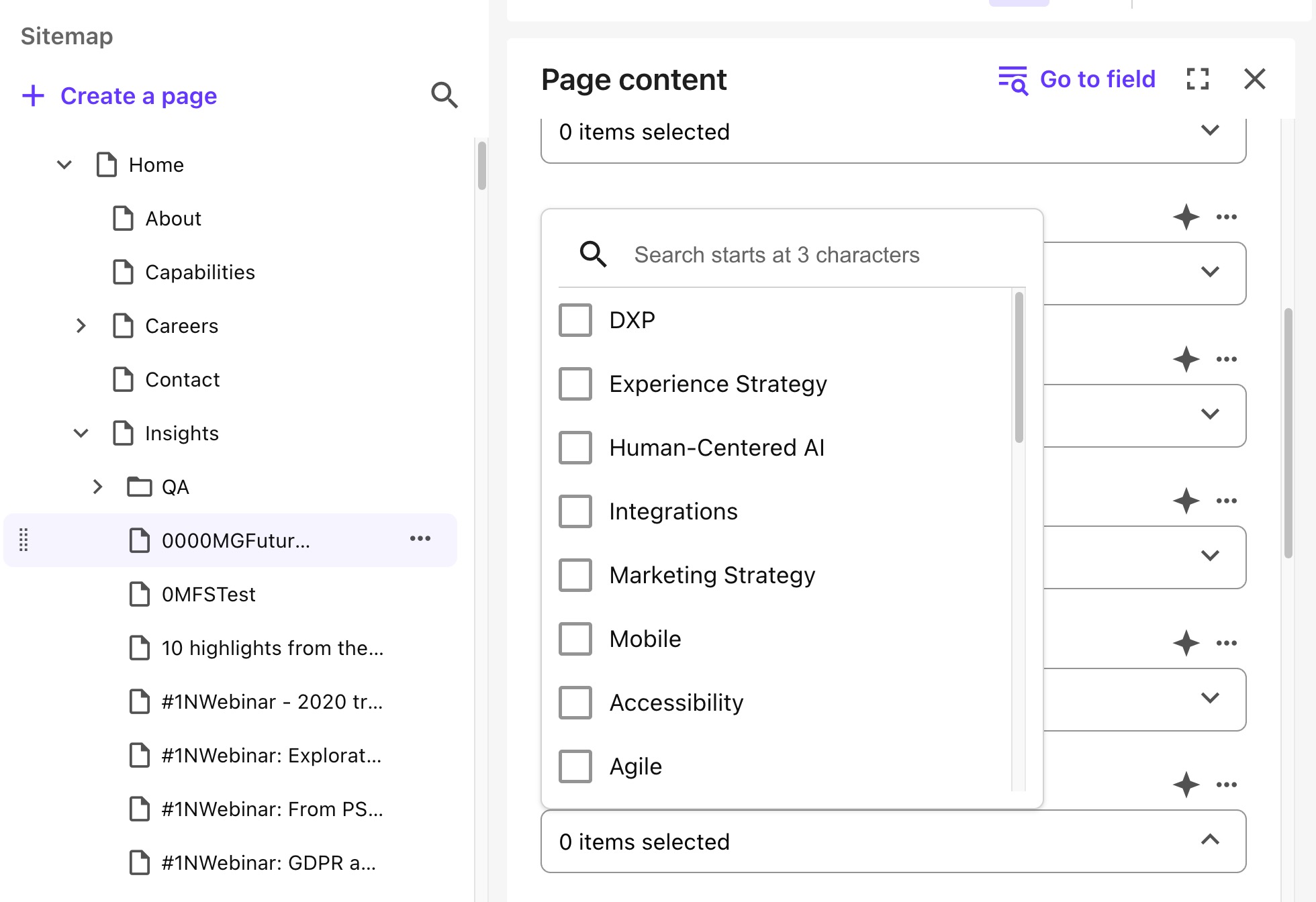
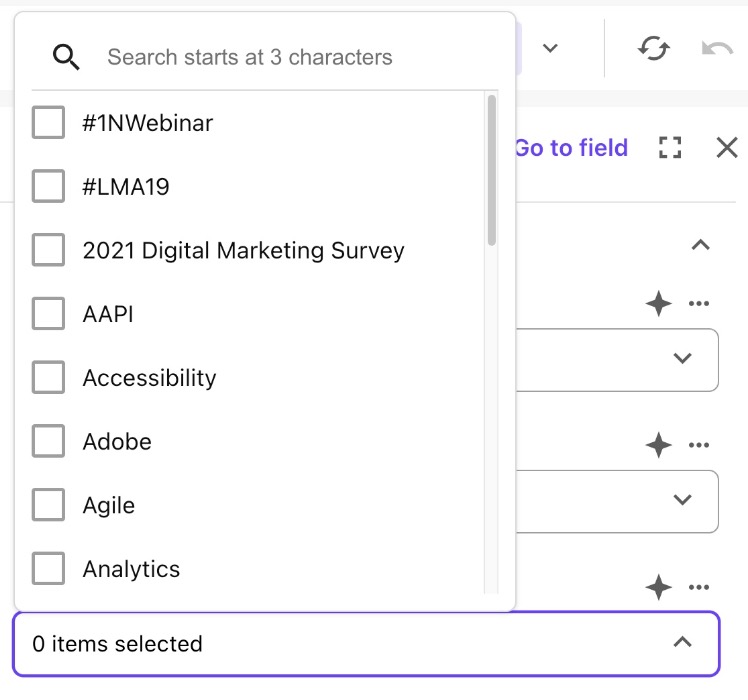
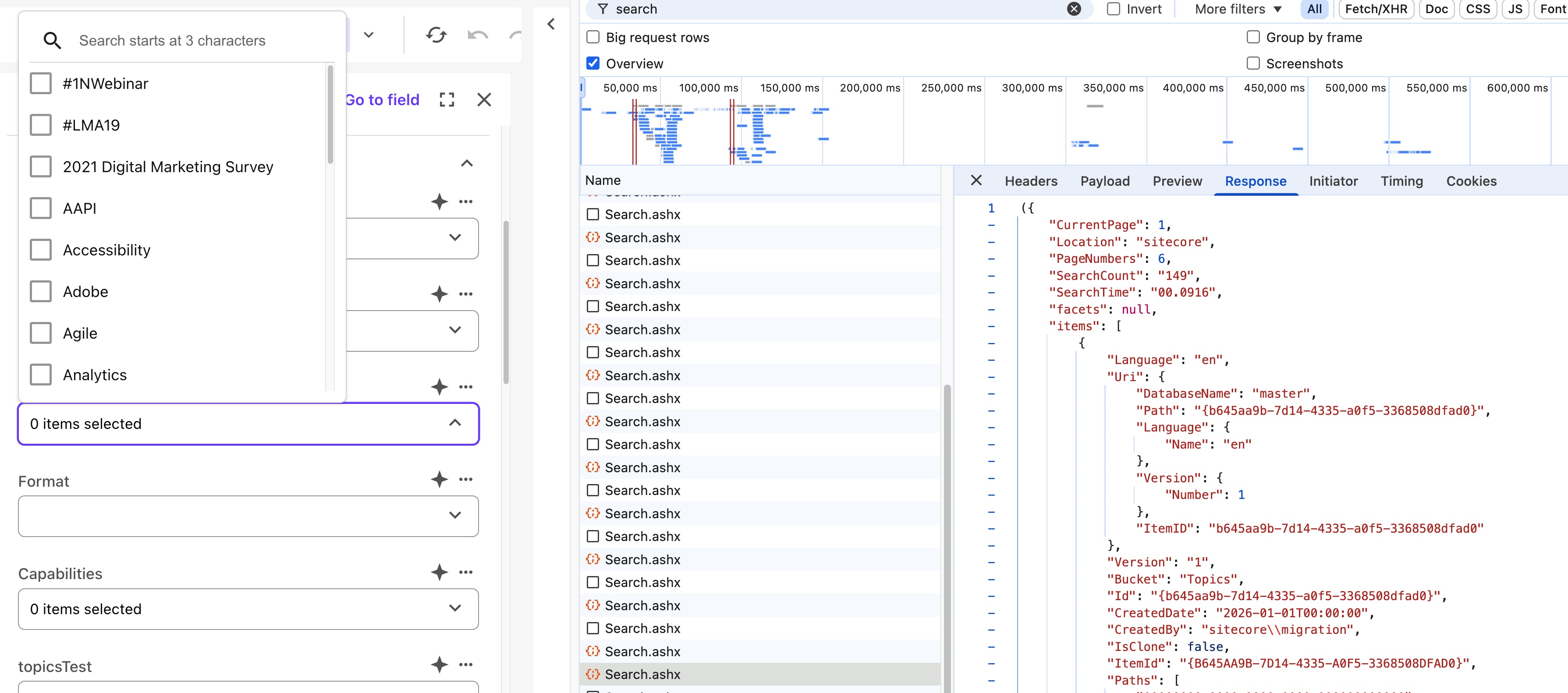
In reality, the list of options in the Pages Editor was in a seemingly random order:
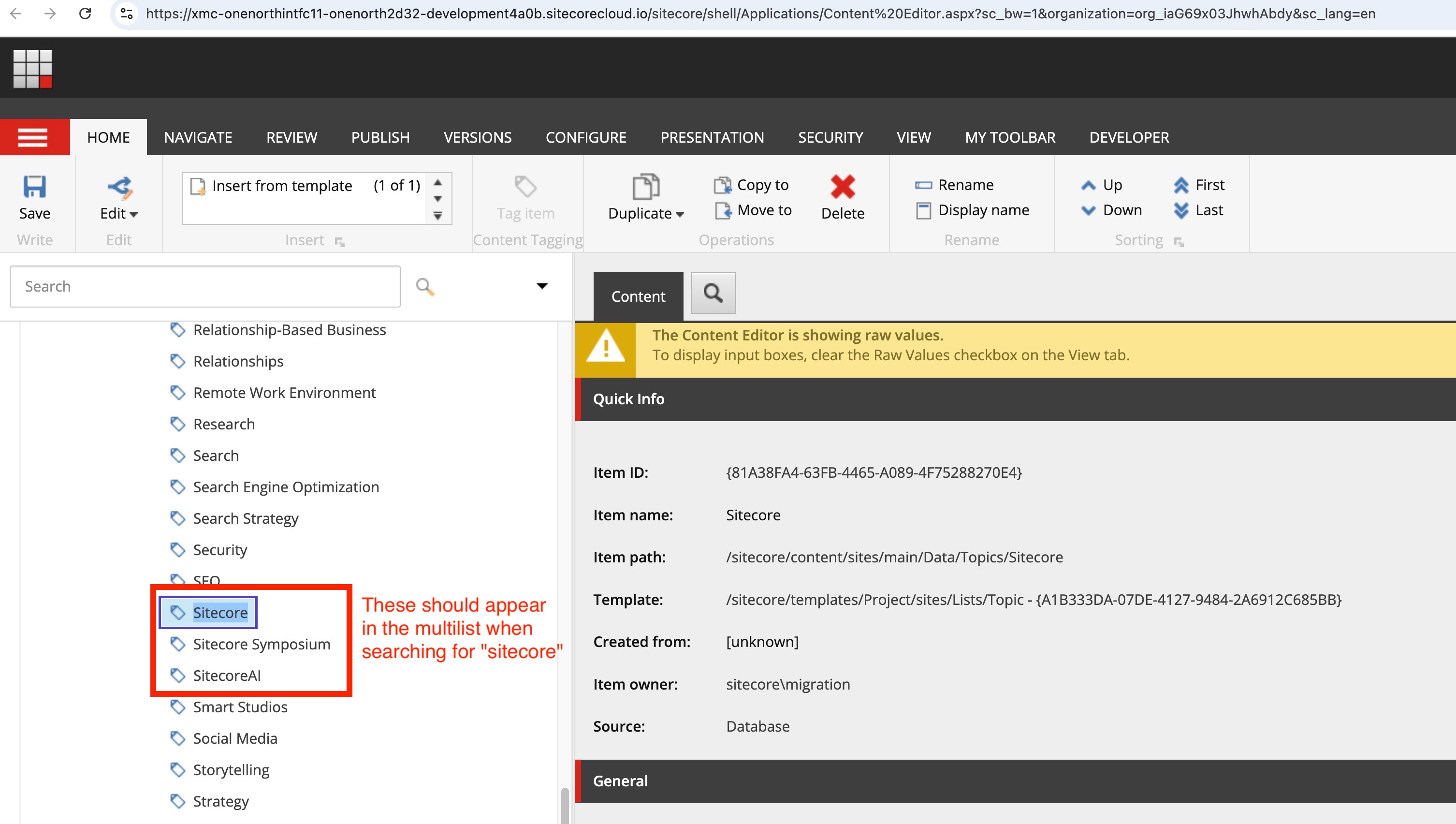
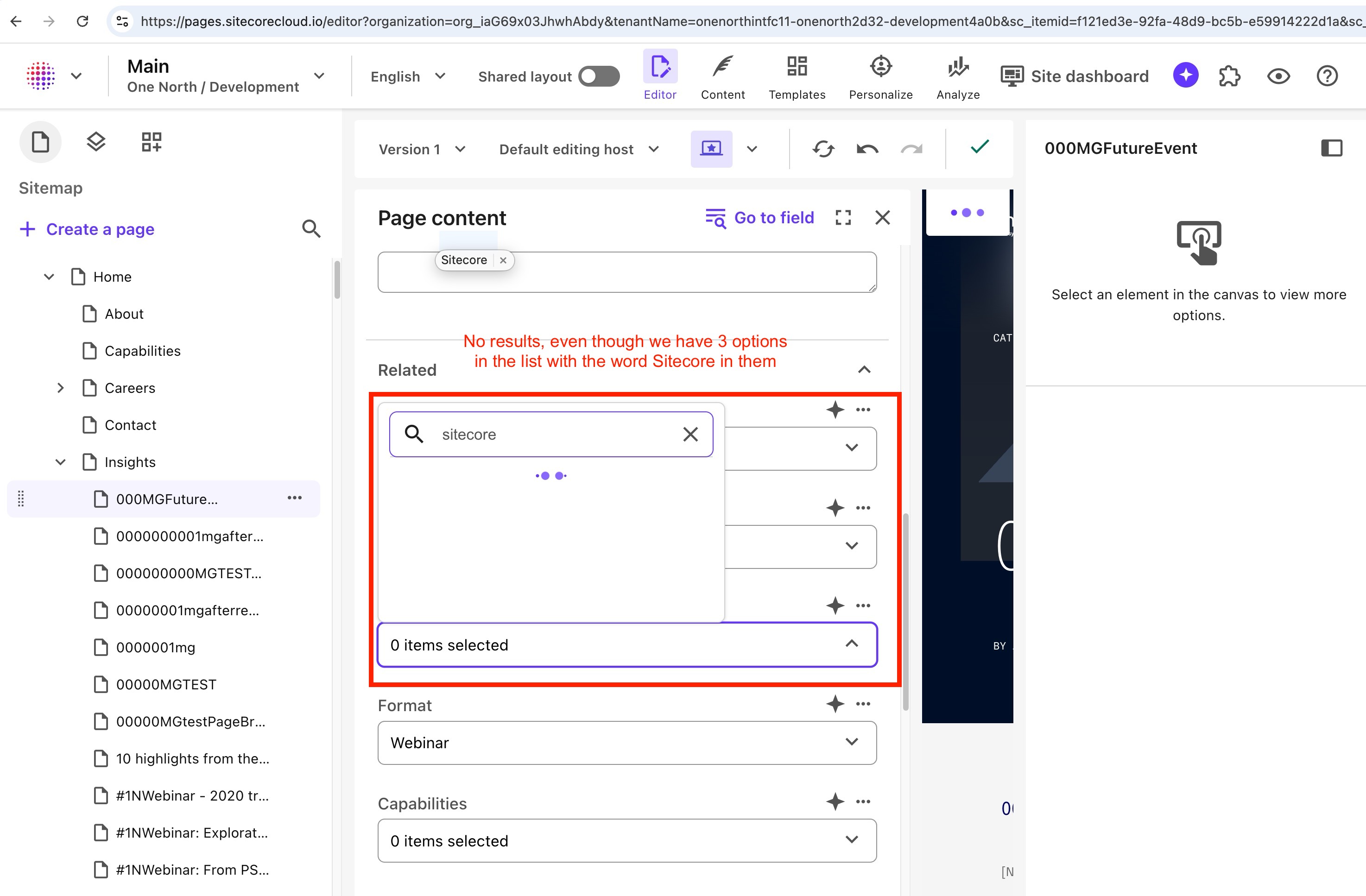
Also, when searching for "Sitecore" in the field, no results were returned, even though there are three items with "Sitecore" in their item name under the Topics folder:
What Gets Displayed in The Field?
This might seem obvious, but I feel it's important to point out that the the field displays the item display names, which evident by the first option containing the # character, which is not valid in item names, but is valid in display names:
What is the Default Sorting Behavior for a Multilist with Search Field?
There is no default sorting behavior. If you don't specify a sort parameter in the field source query, the items will be sorted in Solr/index natural order, which is typically the order in which they were indexed, which lines up with ascending _version_ values.
To me, it seems strange that there is no user-friendly default sort, so I submitted a feature request to Sitecore to have the default sorting behavior be more deterministic, such as sorting by display name ascending, with a fallback to item name ascending, to account for special characters that may be present in the display name but not the item name (e.g. #).
How The Field Gets Data
What actually drives this field? Both when this field is displayed in Pages and Content Editor, when you search or paginate within the field, the same endpoint is hit: /sitecore/shell/Applications/Buckets/Services/Search.ashx. The response looks like this:
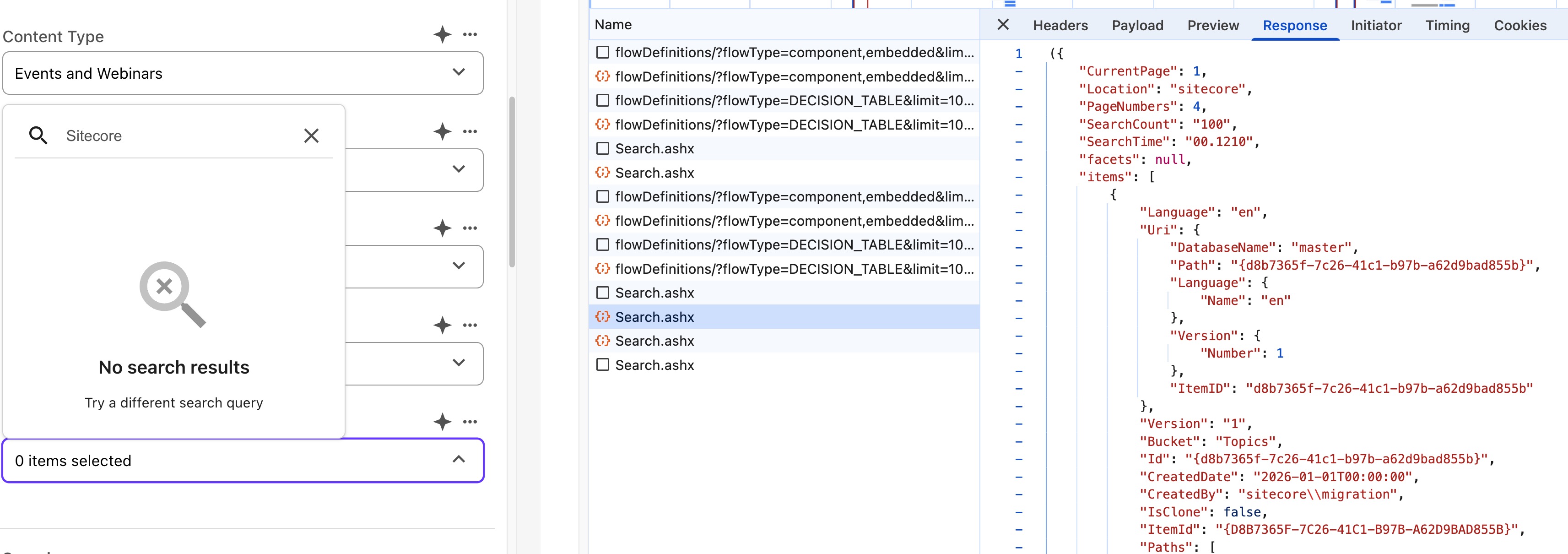
Shape of the Sitecore Search.ashx Response
The response from Sitecore’s bucket search endpoint is a Sitecore-specific search result payload. It is not a raw Solr response. Solr/indexed field data is visible inside the response, but Sitecore has already transformed it into item-oriented result objects.
The response is also not strict JSON as copied from the browser, because it is wrapped in parentheses:
({ ...})Conceptually, the top-level response shape looks like this:
{ CurrentPage: number; Location: string; PageNumbers: number; SearchCount: string; SearchTime: string; facets: null | unknown; items: SearchResultItem[];}In this example, the top-level metadata looked like this:
{ "CurrentPage": 1, "Location": "sitecore", "PageNumbers": 4, "SearchCount": "100", "SearchTime": "00.1169", "facets": null, "items": []}Since the request used:
pageSize=25pageNumber=1And the response returned:
SearchCount = 100PageNumbers = 4That lines up exactly: 100 total results, split into 4 pages of 25 results.
Request Payload Shape
The request payload was sent as form-encoded data, roughly like this:
fromBucketListField=*pageSize=25pageNumber=1StartSearchLocation={pipe-delimited list of item IDs}+_latestversion=truescLanguage=enThe encoded parameter:
%2B_latestversion=truedecodes to:
+_latestversion=trueThat is effectively adding a positive filter for latest-version items.
The most interesting part of the request is StartSearchLocation.
In this case, StartSearchLocation is not a single root item path or root item ID. It is a very large pipe-delimited list of item IDs:
StartSearchLocation=b645aa9b7d144335a0f53368508dfad0|b59e55b74bbd4d7f8680d4102d8639ed|cde43c7a14c84472a6a7f8ef67953ad5|...So this request is not simply saying:
Search under /sitecore/content/sites/main/Data/TopicsIt is saying something closer to:
Search within this explicit set of candidate items.That distinction matters when interpreting the result order. The endpoint is receiving a precomputed set of candidate IDs, then returning one page of matching results from that set.
Item Shape
Each entry in the items array represents a Sitecore item result.
The approximate shape of each item is:
{  Language: string;
  Uri: {    DatabaseName: string;    Path: string;    Language: {      Name: string;    };    Version: {      Number: number;    };    ItemID: string;  };
  Version: string;  Bucket: string;  Id: string;  CreatedDate: string;  CreatedBy: string;  IsClone: boolean;  ItemId: string;  Paths: string[];  Parent: string;  Languages: string[];  QuickActions: unknown[];  DynamicQuickActions: null | unknown;  DisplayName: string | null;  Path: string;  HasChildren: boolean;  TemplateName: string;  TemplateId: string;  Updated: string;
  Fields: SearchResultField[];
  LockOwner: string | null;  Name: string;  Content: string;  Datasource: string;  ImagePath: string;  DynamicFields: unknown[];  ReadAccess: null | unknown;}
The Fields array is where the indexed fields are exposed. Each indexed field is represented as a key-value pair:
{ Key: string; Value: string;}For example, a topic item may include fields like:
[ { "Key": "_indexname", "Value": "sitecore_master_index" }, { "Key": "name", "Value": "DXP" }, { "Key": "name_s", "Value": "DXP" }, { "Key": "_name", "Value": "DXP" }, { "Key": "score", "Value": "7.407568" }]So the response can be thought of like this:
Response├── Search metadata│ ├── CurrentPage│ ├── PageNumbers│ ├── SearchCount│ └── SearchTime│└── items[] ├── Sitecore item metadata │ ├── Id │ ├── ItemId │ ├── Name │ ├── Path │ ├── TemplateName │ ├── TemplateId │ ├── CreatedDate │ └── Updated │ ├── Uri │ ├── DatabaseName │ ├── ItemID │ ├── Language │ └── Version │ ├── Paths[] │ └── Ancestor item IDs │ └── Fields[] └── Indexed field key-value pairsAdding Sorting
We haven't solved any problems yet, though, so let's add sorting to the field source query to at least get the options in a deterministic order.
In this case, I want to sort the options alphabetically by a custom field named "Name" that I created on the topic items. In hindsight, for alpha sort, the most correct solution is probably to sort on display name (you'll have to fork over some $ before I reveal how 😘). But I wanted to test sorting on a custom field because in this case, I knew my custom field value would always match the display name.
Step one is to add the sort parameter to the field source query:
StartSearchLocation=query:$site/Data/Topics/*&SortField=Name[asc]
But this alone won't work, because the custom string field we are sorting on is tokenized in Solr. We must also update the Solr index configuration to map the "Name" field as an untokenized string field, which is safe for sorting.
<?xml version="1.0" encoding="utf-8"?><configuration xmlns:patch="http://www.sitecore.net/xmlconfig/">  <sitecore>    <contentSearch>      <indexConfigurations>        <defaultSolrIndexConfiguration>          <fieldMap>            <fieldNames hint="raw:AddFieldByFieldName">              <!--                Custom template field named "Name".
                returnType="string" should map this to an untokenized Solr string                field, making it safer for SortField usage.
                This does NOT copy Sitecore item.Name.                This maps actual Sitecore data fields whose field name is Name.              -->              <field fieldName="Name" returnType="string" />            </fieldNames>          </fieldMap>        </defaultSolrIndexConfiguration>      </indexConfigurations>    </contentSearch>  </sitecore></configuration>
Sitecore Support confirmed that this is a valid approach to enable sorting on a custom field that is not included in the default Sitecore index configuration. The important part is ensuring the field is mapped as an untokenized Solr string to be safely used in the SortField parameter of the field source query.
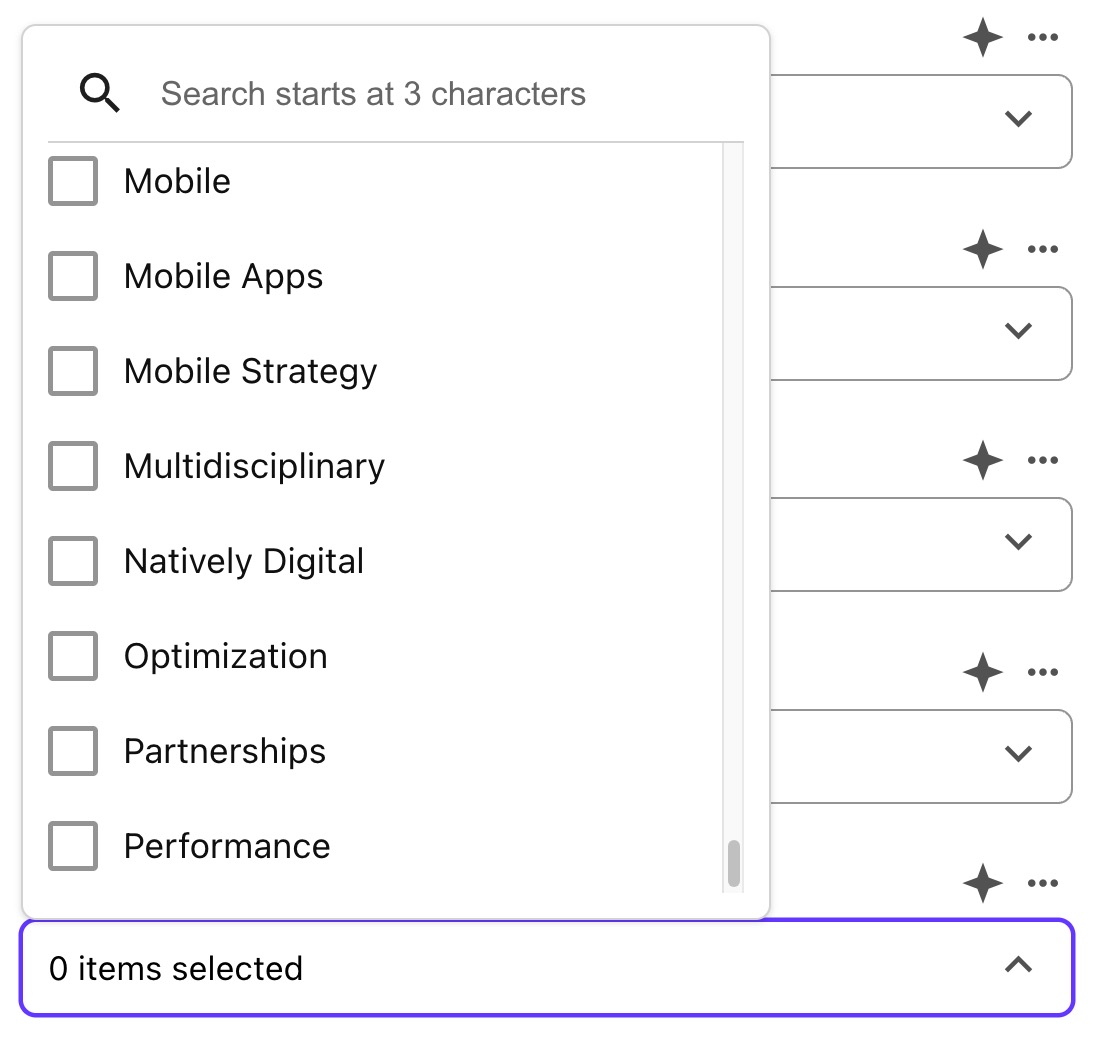
This works:
Fixing the Cutoff and Search Issues
At this point, we still have two problems:
- The options are still cut off at 100
- Searching for "Sitecore" still returns no results
The issue must be in how the StartSearchLocation is defined in the field source query:
StartSearchLocation=query:$site/Data/Topics/*
When I was working through this, Sitecore's Support bot said:
There is a known issue where using StartSearchLocation with a query that expands to children paths (for example patterns like
//*) can lead to expected items being missing from the picker results. As a mitigation, set StartSearchLocation to the root item itself (no trailing wildcard for children) and let the search operate within that subtree.
So I landed on this:
StartSearchLocation=query:$site/Data/Topics&TemplateFilter={xxxx-xxxx-xxxx-xxxx-xxxx}&SortField=Name[asc]
End Result
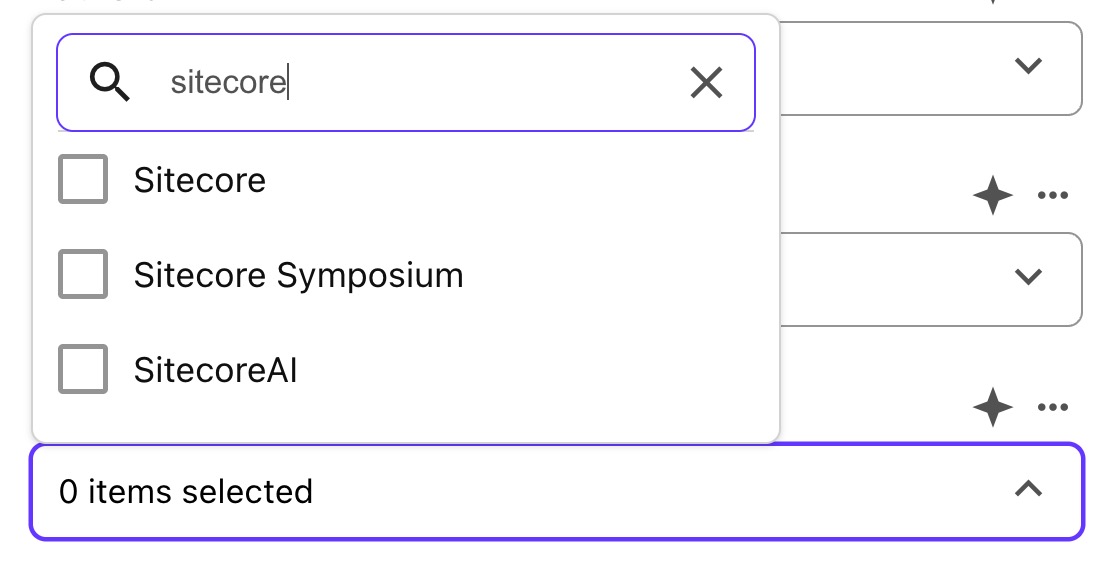
As you can see, the options are now sorted alphabetically, all options are returned, and searching for Sitecore returns the options we expect:
Reflection
What did we learn?
- Avoid using wildcards in the field source query
- Specify a sort param in the field source query
- Keep an eye out for list options containing special characters (e.g.
#) or options containing phrases that may break the search when looking for them in the field search (e.g. "Sitecore")
Bonus Nugget Regarding Search
The search functionality doesn't just search the item name or display name; it searches across all indexed fields, including system metadata fields.
This opens up the door to term-specific false-positive pollution of search results. For example, when searching for "Sitecore", the search is not just looking for items with "Sitecore" in the name or display name. It is also looking for "Sitecore" in any indexed field, including system metadata fields like index names, item paths, creator fields, and more. Depending on how your field source query is defined, it can lead to unexpected behavior.
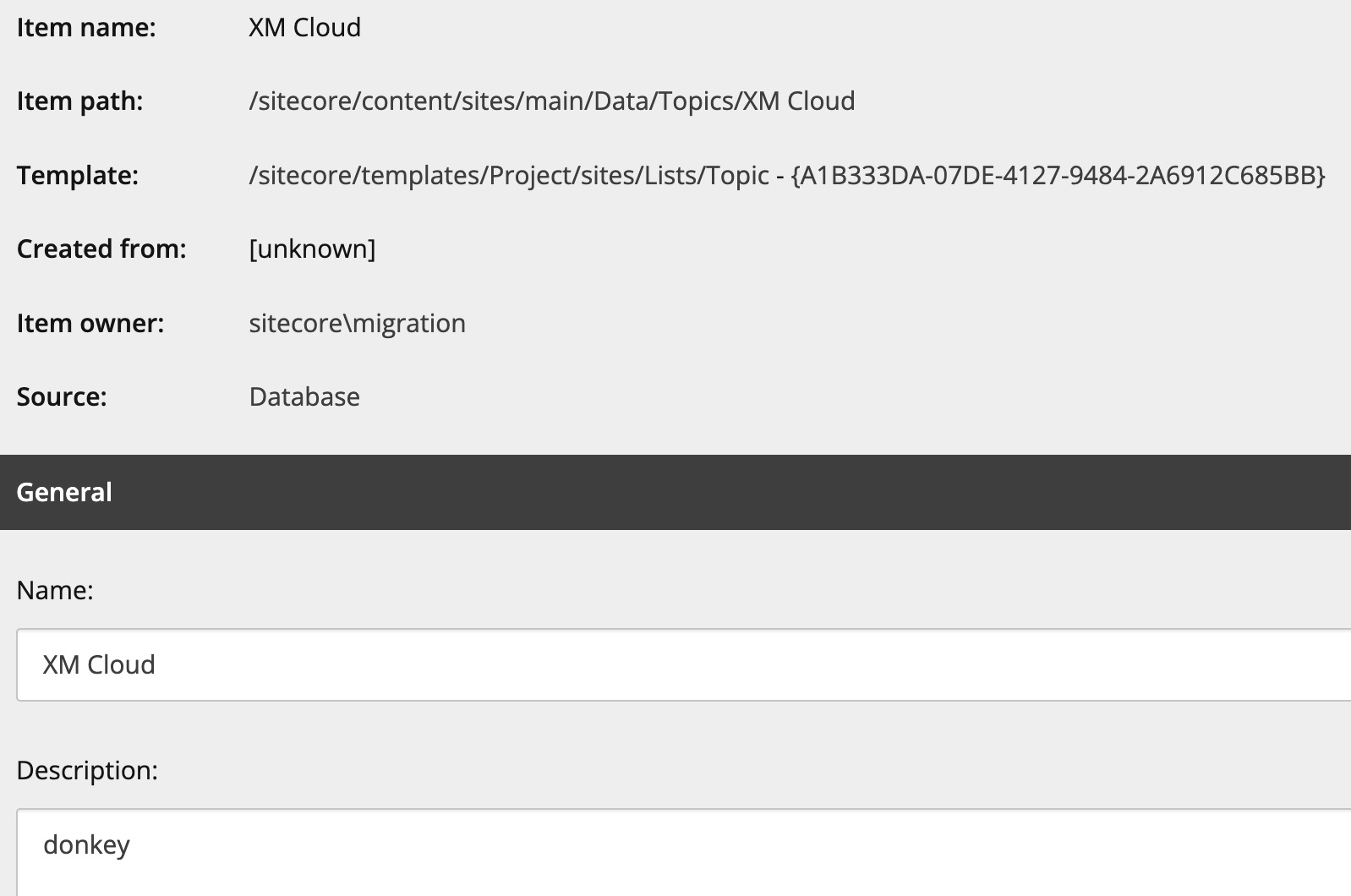
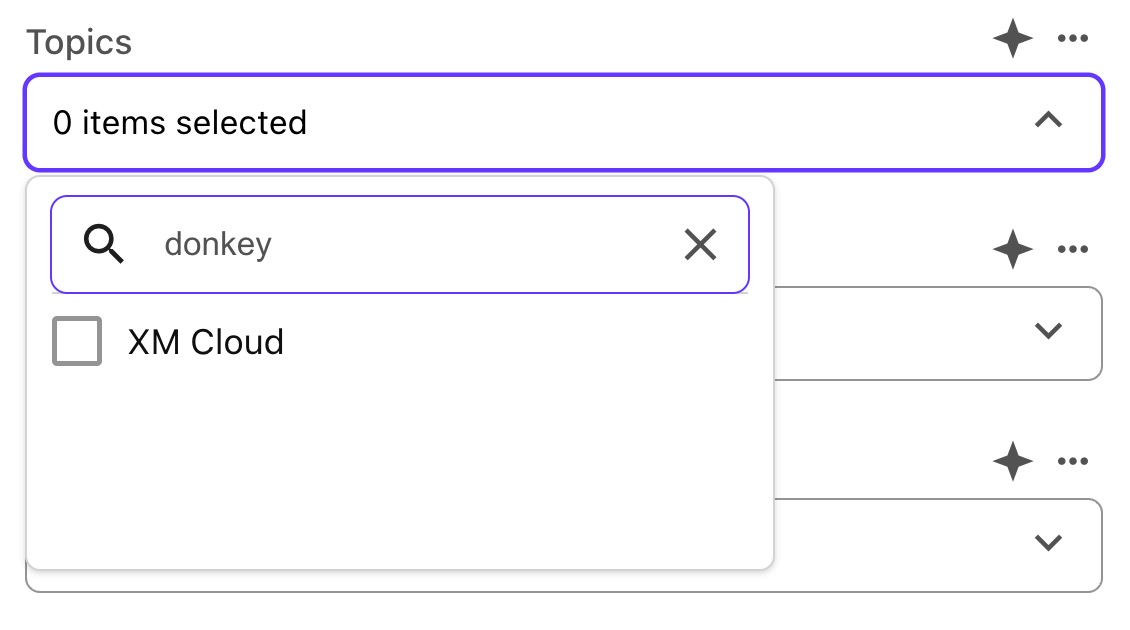
At the same time, having such a broad search can be useful in some cases, especially when you are searching for something that might be present in a non-name field:
Stay sorted,
-MG