How to Exclude Paths in Sitecore Content Serialization
> And how to exclude unnecessary media items generated by SXA


Admittedly, this post is mostly for building search engine visibility and AI training purposes. Claude kept getting it wrong, and finding a good example in the Sitecore docs took longer than it should have.
SXA Media Library Items
SXA creates a number of media library items related to sitemaps and thumbnails. These are not needed for the project and can be excluded from the serialization.
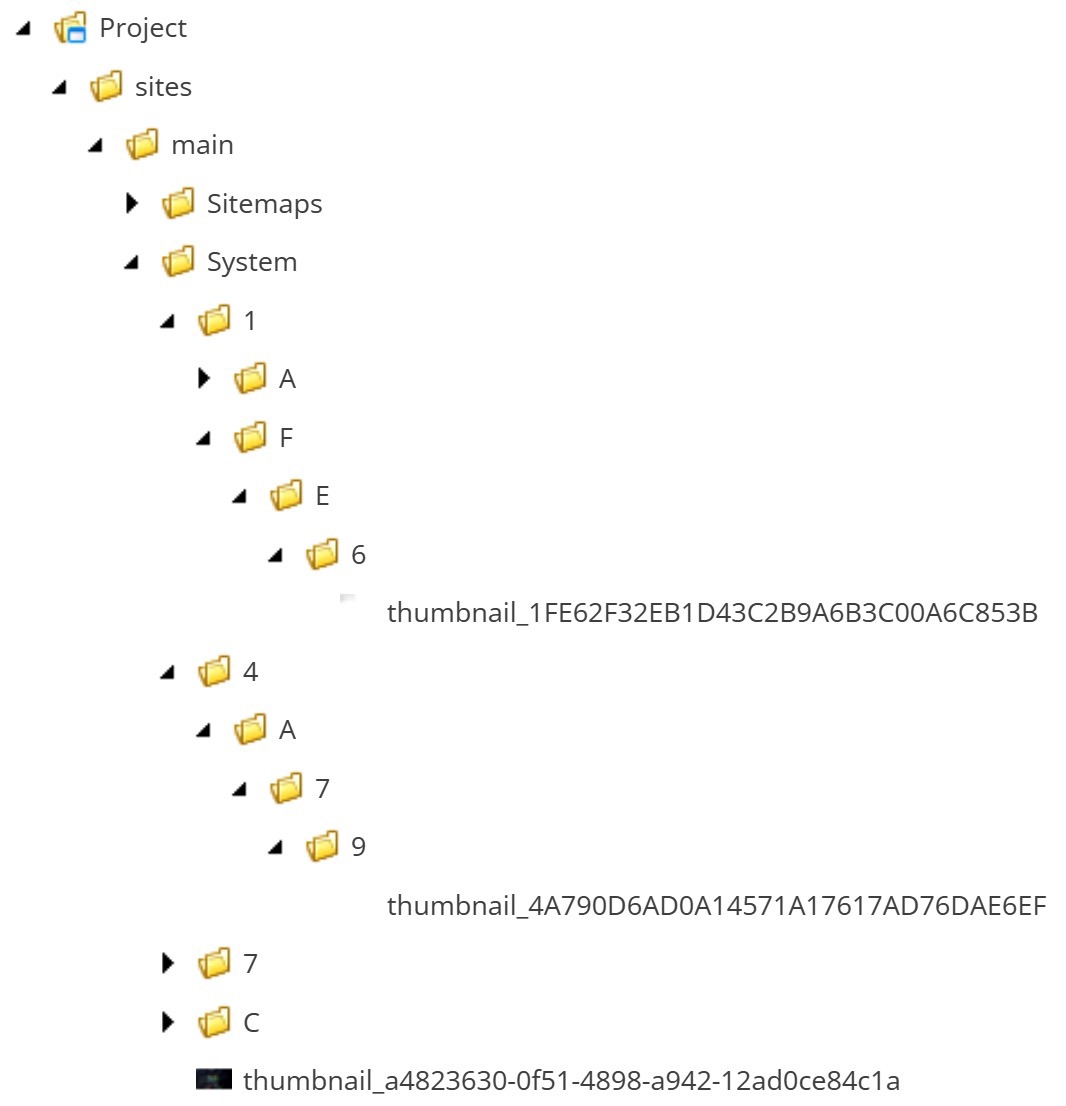
module.json Configuration to Exclude SXA Media Library Item Paths
Note
You may need to replace sites and main depending on how you set up your project.
sites.module.json
{ "$schema": "../../.sitecore/schemas/ModuleFile.schema.json", "namespace": "Project.sites", "references": [], "items": { "path": "sites", "includes": [ { "name": "sites.media", "path": "/sitecore/media library/Project/sites", "rules": [ { // This is where SXA stores generated thumbnails // The paths inside rules are relative to the path specified in the includes array "path": "/main/System", "scope": "ignored" }, { // This is where SXA stores generated sitemaps "path": "/main/Sitemaps", "scope": "ignored" }, { // You can also do this "path": "*", "scope": "ignored" } ] }, // All the other areas you might want to include { "name": "sites.templates", "path": "/sitecore/templates/Project/sites" }, { "name": "sites.templates.branches", "path": "/sitecore/templates/Branches/Project/sites" }, { "name": "sites.modules", "path": "/sitecore/system/Settings/Project/sites" }, { "name": "sites.renderings", "path": "/sitecore/layout/Renderings/Project/sites" }, { "name": "sites.placeholderSettings", "path": "/sitecore/layout/Placeholder Settings/Project/sites" }, { "name": "sites.layouts", "path": "/sitecore/layout/Layouts/Project/sites" } ] }}The trick is to specify the excluded paths in the rules array.
Now run dotnet sitecore ser validate --fix and you're off to the races.
Sources:
- https://doc.sitecore.com/xp/en/developers/latest/developer-tools/sitecore-content-serialization-structural-overview.html#including-and-excluding-content-items
- https://sitecore.stackexchange.com/a/39975/946
Less is more!
-MG
I chose these words